
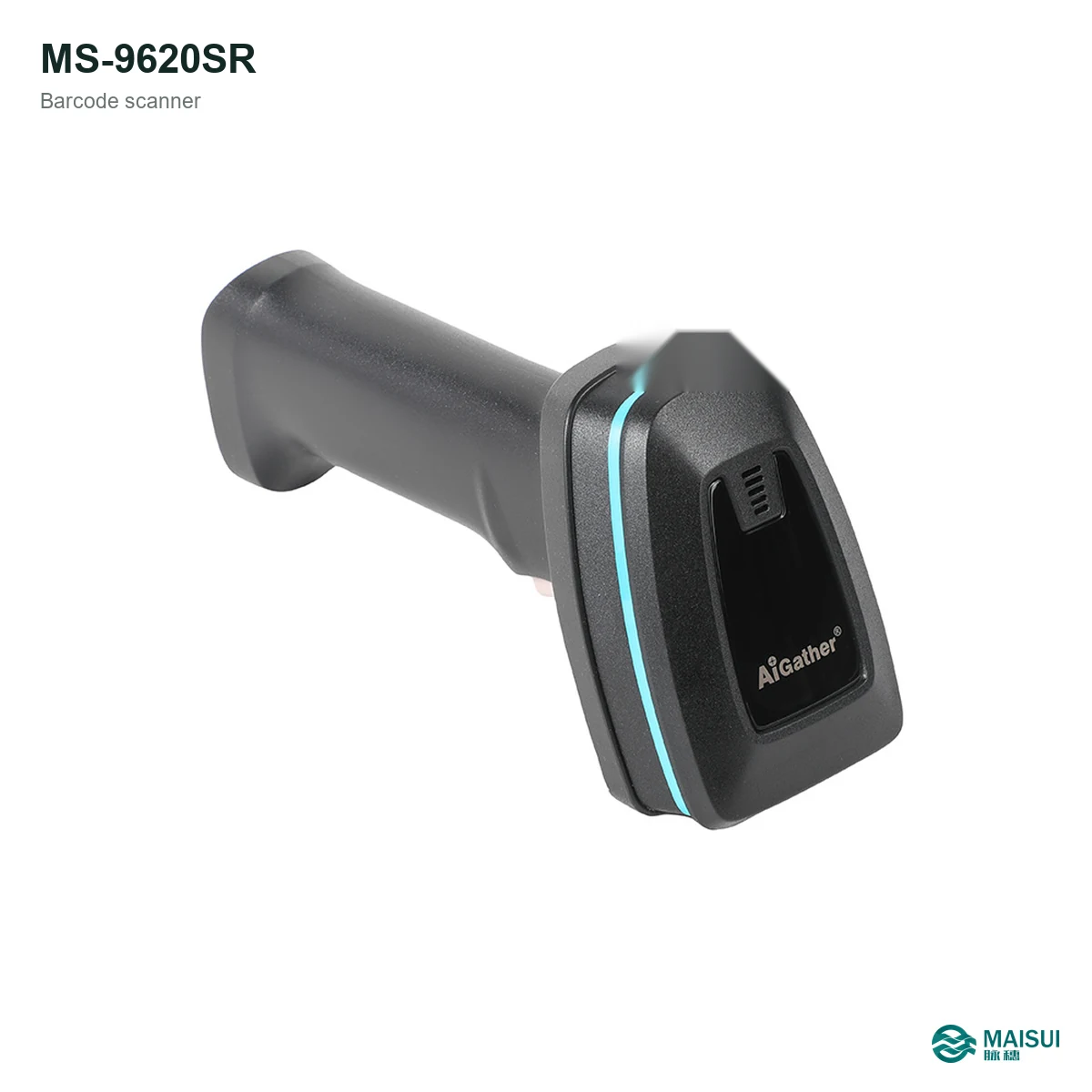
The MS-9620SR is a USB wired 2D barcode scanner for counters, packing benches, goods-in and production cells. It uses a 1280 x 800 pixel image sensor with high-precision reading, reads 1D and 2D codes, and connects over USB HID; virtual COM port; optional RS232 without a driver.
Key facts at a glance
- Category
- Wired 2D barcode scanner
- Model
- MS-9620SR
- Image sensor
- 1280 x 800 pixel / Rolling shutter
- Precision
- per configuration
- Interface
- USB HID; virtual COM port; optional RS232
- Cable
- Standard 2m USB Cable
- Sealing and drop
- IP52; 1.5 m drop
What it is
The MS-9620SR is a handheld 2D imager for fixed-station work. Instead of a laser beam it captures an image of the code, so QR codes, Data Matrix codes and PDF417 read as easily as 1D barcodes. The 1280 x 800 pixel sensor and 120 fps frame rate keep up with rapid scanning at a counter or packing bench.
It is aimed at stations that do not move: the scanner stays connected to the PC by USB, so there is no battery to charge, no pairing step and no receiver to lose. That makes it a good default for goods-in desks, packing tables and production cells.
How it works
- Connect the USB cable to the PC, terminal or thin client.
- Scan the configuration codes for keyboard layout, suffix and interface mode.
- Scan labels, QR codes or screen codes; the LED and buzzer confirm each read.
- Use the stand for hands-free presentation scanning where the workflow allows.
- Wipe the window and check the cable at the start of each shift.
Key capabilities
- 1D and 2D decoding. Reads ordinary barcodes, QR Code, Data Matrix and PDF417 with one device.
- Fixed, stable connection. USB cable provides power and data; no battery to charge and no pairing to manage.
- Fast imaging. 120 fps frame rate and fine reading for quick, repeated scans.
- Standard interface. USB HID; virtual COM port; optional RS232 so the scanner works with existing ERP and WMS screens.
- Industrial sealing. IP52 sealing and 1.5 m drop resistance for benches and shop floors.
- Simple mounting. A stand or bracket keeps the scanner at the right angle for hands-free presentation scanning.
- Configure once. Keyboard layout, suffix and interface mode are set by configuration codes and remembered.
- Serviceable. Cable and scanner are separate parts, so a damaged cable is a quick replacement.
Where it fits
Use the MS-9620SR at fixed desks and benches: checkout counters, packing stations, goods-in and goods-out desks, production cells where operators scan work orders, and asset or tool cribs where tags are checked at the same place every day.
Technical specifications
| Model | MS-9620SR |
|---|---|
| Scan type | 2D CMOS imager, 1D and 2D codes |
| Image sensor | 1280 x 800 pixel / Rolling shutter |
| Frame rate | 120 fps |
| Host interface | USB HID; virtual COM port; optional RS232 |
| Cable | Standard 2m USB Cable |
| Input voltage | 5V±5% |
| Working current | <280 mA |
| Sealing | IP52 |
| Drop resistance | 1.5 m |
| Dimensions | 180 x 66 x 88 mm |
| Weight | 153 g |
| Operating temperature | -10 to 50 °C (working) |
| Humidity | 5-95% non-condensing |
Stand and accessories
A stand or bracket holds the scanner at a fixed angle for hands-free presentation scanning, which speeds up counter work. Replacement USB cables and stands are available from MAISUI.
Selection checklist
- Which codes are scanned: 1D only, or QR, Data Matrix and PDF417 as well?
- How far is the host from the scanning position? Check the cable length.
- Is the scan position fixed? If the operator moves, compare the wireless MS-9519SR.
- Does the host application expect keyboard input or a COM port?
- Is a stand or bracket needed for hands-free scanning?
- How many shifts per day, and who checks the cable and window?
Maintenance and service
Wipe the scan window with a soft, slightly damp cloth at the start of each shift. Check the cable and strain relief for wear, and keep a spare cable on site. MAISUI supplies replacement cables, stands and spare units, and can pre-configure keyboard layout and suffix settings before dispatch.
Frequently asked questions
What codes can this scanner read?
It reads 1D barcodes and 2D codes including QR Code, Data Matrix and PDF417; test your actual label for very small or low-contrast codes.
Does it need a driver?
No. It presents as USB HID; virtual COM port; optional RS232, so it types into ERP, WMS and label software like a keyboard.
How long is the cable?
Standard 2m USB Cable. Extension cables are available if the host is further away.
Is it suitable for a packing bench?
Yes. It is rated IP52 and 1.5 m drop resistance for daily industrial use.
Can it read codes on screens?
2D imaging reads screen codes when brightness and size are suitable; test the specific app before standardising.
What is the difference from the wireless model?
This model is powered and connected by cable, so there is no battery to charge. The MS-9519SR is the 2.4 GHz wireless equivalent.
Which host systems are supported?
Windows, Linux and most terminal or thin-client environments that accept a USB keyboard or virtual COM port.
Can I get a datasheet and quotation?
Send your application and quantity through the contact form; MAISUI replies with a matched quotation and the specification sheet.