
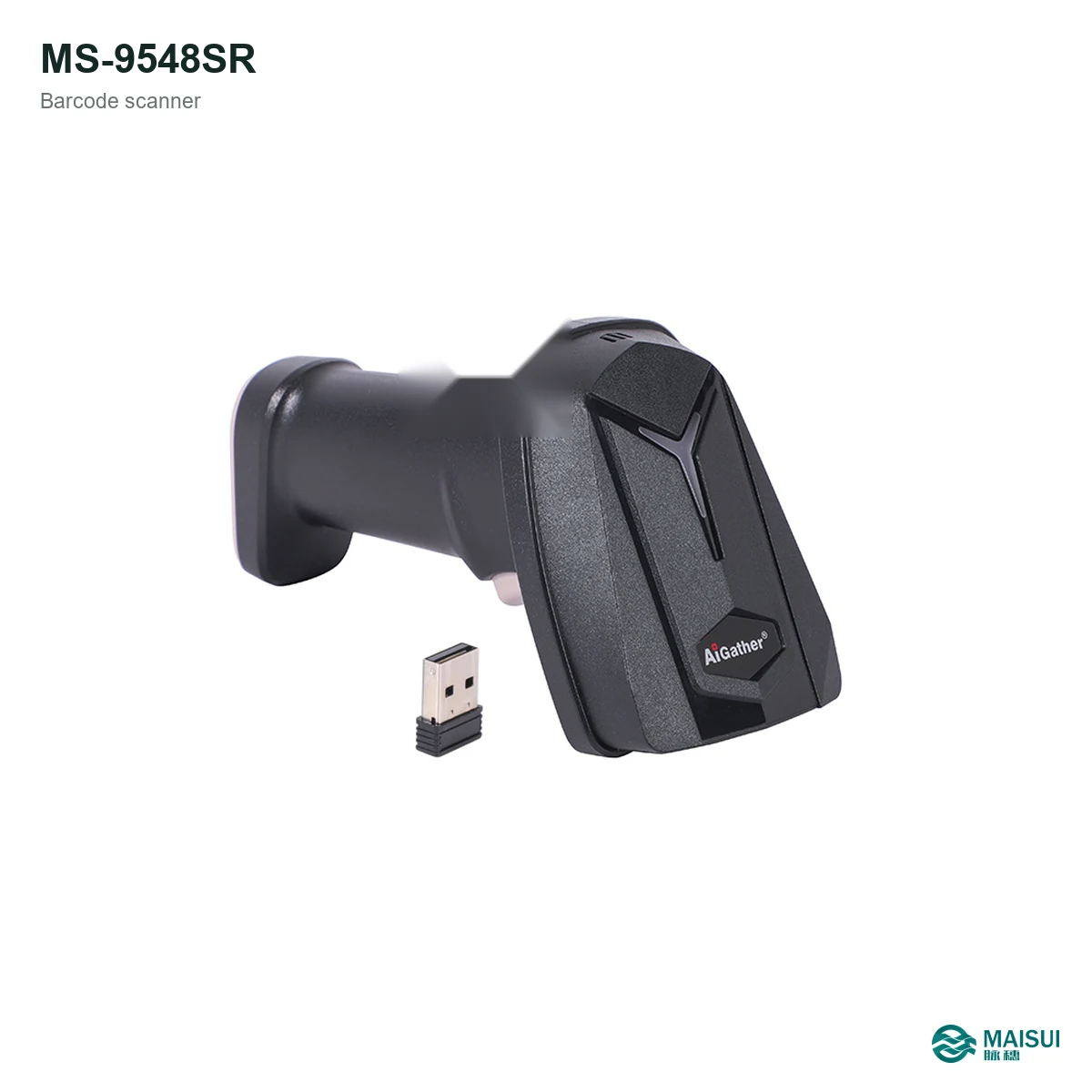
The MS-9548SR is a 2.4 GHz wireless 2D barcode scanner for retail counters, receiving, picking and stocktaking. It pairs a 1280 x 800 pixel image sensor with 3 mil reading and a 2000 mAh battery, so operators can scan labels, QR codes and 2D codes away from a fixed cable.
Key facts at a glance
- Category
- Wireless 2D barcode scanner
- Model
- MS-9548SR
- Image sensor
- 1280 x 800 pixel / Rolling shutter
- Precision
- 3 mil
- Interface
- USB HID; virtual COM port
- Battery
- 2000 mAh
- Sealing and drop
- IP52; 1.5 m drop
What it is
The MS-9548SR is a handheld 2D imager with a wireless base receiver. Instead of a laser beam it captures an image of the code, which is why QR codes, Data Matrix codes and PDF417 read as easily as ordinary 1D barcodes. The 1280 x 800 pixel sensor and high frame rate keep pace with fast sweeping at a counter or packing bench.
It is aimed at teams that move between a counter, a shelf and a receiving area: the receiver stays plugged into the PC while the scanner travels with the operator. The 2000 mAh covers a normal shift, and the USB cable recharges it between shifts.
How it works
- Plug the receiver into a USB port on the PC, terminal or thin client.
- Pair the scanner with the receiver; the supplied cable also charges the battery.
- Scan the configuration barcodes for keyboard layout, suffix and interface mode.
- Scan labels, QR codes or screen codes; the LED and buzzer confirm each read.
- Return the scanner to the receiver or charging cable at the end of the shift.
Key capabilities
- 1D and 2D decoding. Reads ordinary barcodes, QR Code, Data Matrix and PDF417 with one device.
- High-resolution imaging. 1280 x 800 pixel with 3 mil minimum element for small and dense codes.
- Fast frame rate. Fast frame rate keeps up with repeated scanning at counters and conveyors.
- Wireless freedom. 2.4 GHz link rated 80-100 m (open area), with the receiver stored in the handle.
- Standard interfaces. USB HID; virtual COM port so the scanner drops into existing ERP and WMS screens.
- Shift-length battery. 2000 mAh, recharged over the supplied USB cable.
- Built for handling. IP52 sealing and 1.5 m drop resistance for daily handheld use.
- Configure once. Keyboard layout, suffix and interface mode are set by configuration codes and remembered by the unit.
Where it fits
Use the MS-9548SR where the operator needs to scan away from the PC: at a checkout counter, on a picking route, during cycle counting, at goods-in, or when checking asset tags in a plant. The wireless link also removes the cable that catches on cartons and shelf edges.
Technical specifications
| Model | MS-9548SR |
|---|---|
| Scan type | 2D CMOS imager, 1D and 2D codes |
| Image sensor | 1280 x 800 pixel / Rolling shutter |
| Minimum element | 3 mil |
| Host interface | USB HID; virtual COM port |
| Wireless range | 80-100 m (open area) |
| Battery | 2000 mAh |
| Input voltage | 5V±5% |
| Working current | <280 mA |
| Sealing | IP52 |
| Drop resistance | 1.5 m |
| Dimensions | 163 x 94 x 68 mm |
| Weight | 182 g |
| Operating temperature | -10 to 50 °C (working) |
| Humidity | 5-95% non-condensing |
Wireless setup and accessories
The scanner ships with a USB cable and a 2.4 GHz receiver. The receiver stores in the handle when the scanner is carried between areas, which reduces lost dongles. The same cable charges the battery and provides a wired data path, so the scanner can keep working while it charges.
Selection checklist
- Which codes are scanned: 1D only, or QR, Data Matrix and PDF417 as well?
- Are codes printed on labels, or displayed on screens and terminals?
- How far does the operator move from the PC? Check the wireless range against your layout.
- Which host application is used, and does it expect keyboard input or a COM port?
- How many scans per shift? Size the battery and charging routine against that number.
- Is a wired scanner simpler for fixed stations? Compare the MS-9518SR.
Maintenance and service
Wipe the scan window with a soft, slightly damp cloth at the start of each shift, and keep the charging contacts clean. Store the scanner in its cradle or on a shelf rather than on a carton. MAISUI supplies replacement cables, receivers and spare units, and can pre-configure keyboard layout and suffix settings before dispatch.
Frequently asked questions
What codes can this scanner read?
It reads 1D barcodes and 2D codes including QR Code, Data Matrix and PDF417. Where codes are small or low contrast, test the actual label before standardising.
How far does the wireless link reach?
The 2.4 GHz link is rated 80-100 m (open area) in open area. Walls and metal racking reduce this, so keep the receiver in line of sight.
How is the scanner powered?
It uses a rechargeable 2000 mAh and charges over USB. The supplied cable can also carry data, so the unit can be used while charging.
What does the host computer see?
The receiver presents as USB HID; virtual COM port, so it works with ERP, WMS and label software without a custom driver.
Can it read codes on a phone screen?
2D imaging reads screen codes when brightness and code size are suitable. Test your specific app and screen before committing a workflow to it.
Is it suitable for warehouse work?
Yes. It is rated IP52 and survives 1.5 m drops, which covers normal handheld use around cartons and concrete floors.
Is there a wired version?
Yes. The wired MS-9518SR uses a standard USB cable and the same 2D imager family.
Can I get a datasheet and quotation?
Send your application and quantity through the contact form; MAISUI replies with a matched quotation and the specification sheet.