
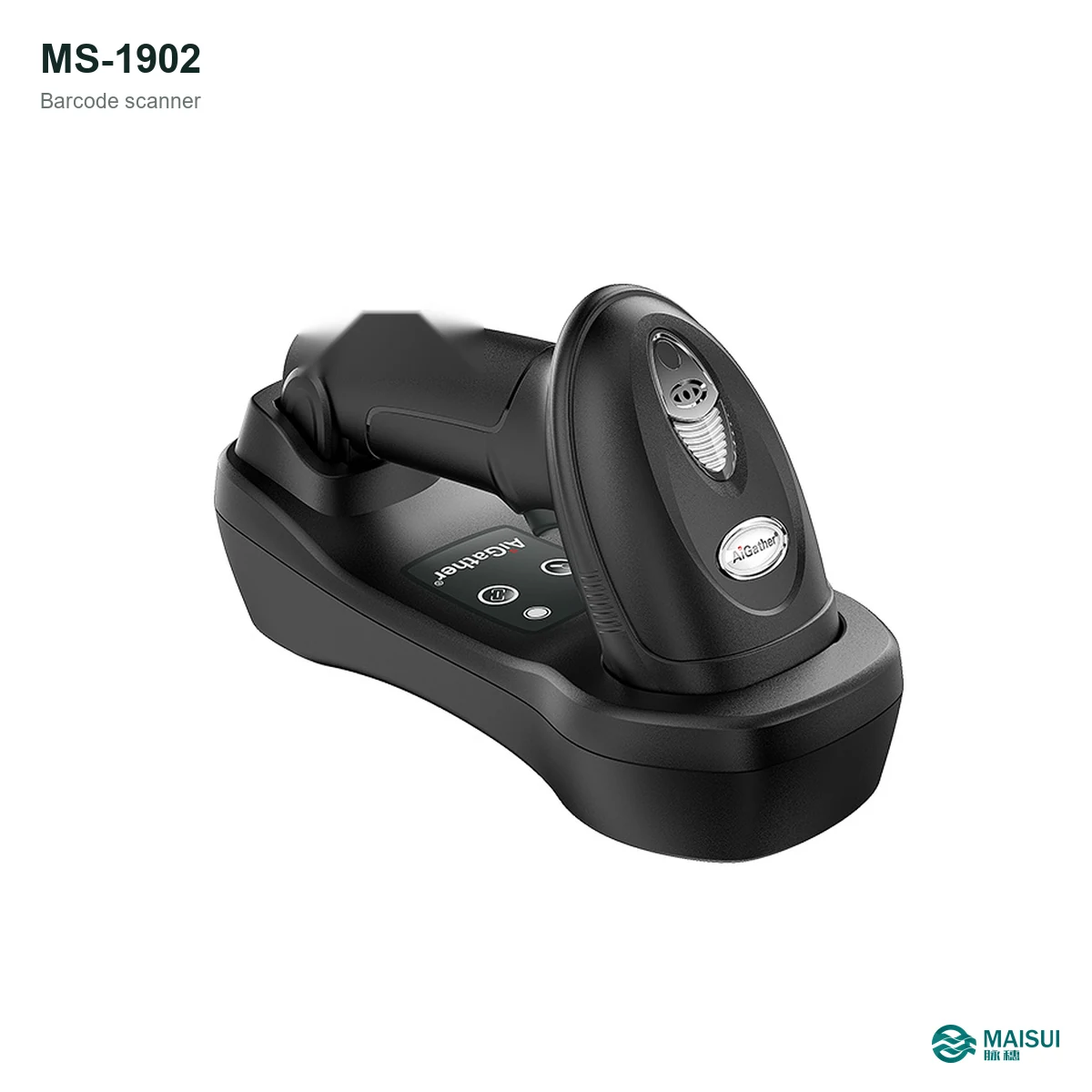
The MS-1902 is an industrial DPM handheld scanner for codes marked directly on parts: laser-marked, dot-peen, inkjet and etched codes on metal and plastic. It has a rugged ABS+PC+TPU housing rated IP54 and a laser cross for aiming in multi-code environments.
Key facts at a glance
- Category
- Industrial DPM handheld barcode scanner
- Model
- MS-1902
- Codes
- 1D / 2D, including laser, dot-peen, inkjet and etched marks
- Housing
- ABS + PC + TPU, two-shot moulded
- Sealing
- IP54
- Aiming
- Laser cross aiming
What it is
The MS-1902 is a handheld 2D imager built for direct part marking. Instead of a label, the code is marked on the part itself by laser, dot-peen, inkjet or etching, which makes the surface and contrast the hard part of the job. The scanner and its decoding handle those marks across different materials.
The housing is moulded from ABS, PC and TPU and rated IP54, so it stands up to shop-floor handling and desk-level drops. A laser cross helps position the scanner when several codes are close together.
How it works
- Connect the scanner to the PC or terminal by USB.
- Configure interface mode and suffix for your MES or quality application.
- Aim the laser cross at the marked code and scan; confirm the read by LED/buzzer.
- Check the code grade against your process requirement on the actual part.
- Wipe the window at the start of each shift and inspect the cable.
Key capabilities
- DPM decoding. Reads laser-marked, dot-peen, inkjet and etched codes.
- Multi-code environments. Laser cross aiming helps target the right mark.
- Rugged housing. ABS + PC + TPU two-shot moulding with IP54 sealing.
- Shop-floor ready. Built for handling and desk-level drops.
- Standard interface. USB connection to PCs, terminals and MES clients.
Where it fits
Use it for part traceability where labels will not survive: machined and cast components, stamped plates, tooling, medical instruments and electronic assemblies that carry a direct mark.
Technical specifications
| Model | MS-1902 |
|---|---|
| Scan type | 2D imager, 1D and 2D codes |
| Marks | Laser, dot-peen, inkjet, etched |
| Sealing | IP54 |
| Housing | ABS + PC + TPU, two-shot moulded |
| Aiming | Laser cross |
| CPU | 1.2G dual-core |
Selection checklist
- What is the mark: laser, dot-peen, inkjet or etched?
- Which material: steel, aluminium, cast iron, plastic or coated?
- How close are neighbouring codes? Is cross aiming needed?
- Which MES or quality system receives the data?
- What read rate and code grade must be achieved on the actual part?
- Who checks the window and cable each shift?
Maintenance and service
Wipe the scan window with a soft, slightly damp cloth and check the cable for wear. Keep a spare cable on site. MAISUI supplies replacement cables and spare units, and can pre-configure interface settings before dispatch.
Frequently asked questions
What is this scanner for?
It is an industrial DPM handheld scanner for laser-marked, dot-peen, inkjet and etched codes on metal and plastic parts.
Which codes can it read?
1D barcodes and 2D codes including Data Matrix and QR Code; test your actual mark and surface for low-contrast cases.
What does DPM mean?
Direct part marking: the code is marked directly on the part instead of a label, typically by laser, dot-peen or etching.
Is it protected for shop-floor use?
The housing is moulded from ABS, PC and TPU and the unit is rated IP54 for industrial environments.
Why does it have a laser cross?
The laser cross aiming helps position the scanner over the right code when several marks are close together.
Does it need special lighting?
It has built-in illumination for marked codes; for polished or curved surfaces test the actual part before standardising.
Can MAISUI pre-configure it?
Yes. Interface mode, suffix and keyboard layout can be set before dispatch.
Can I get a datasheet and quotation?
Send your part, mark type and quantity through the contact form; MAISUI replies with a matched quotation and specification sheet.