
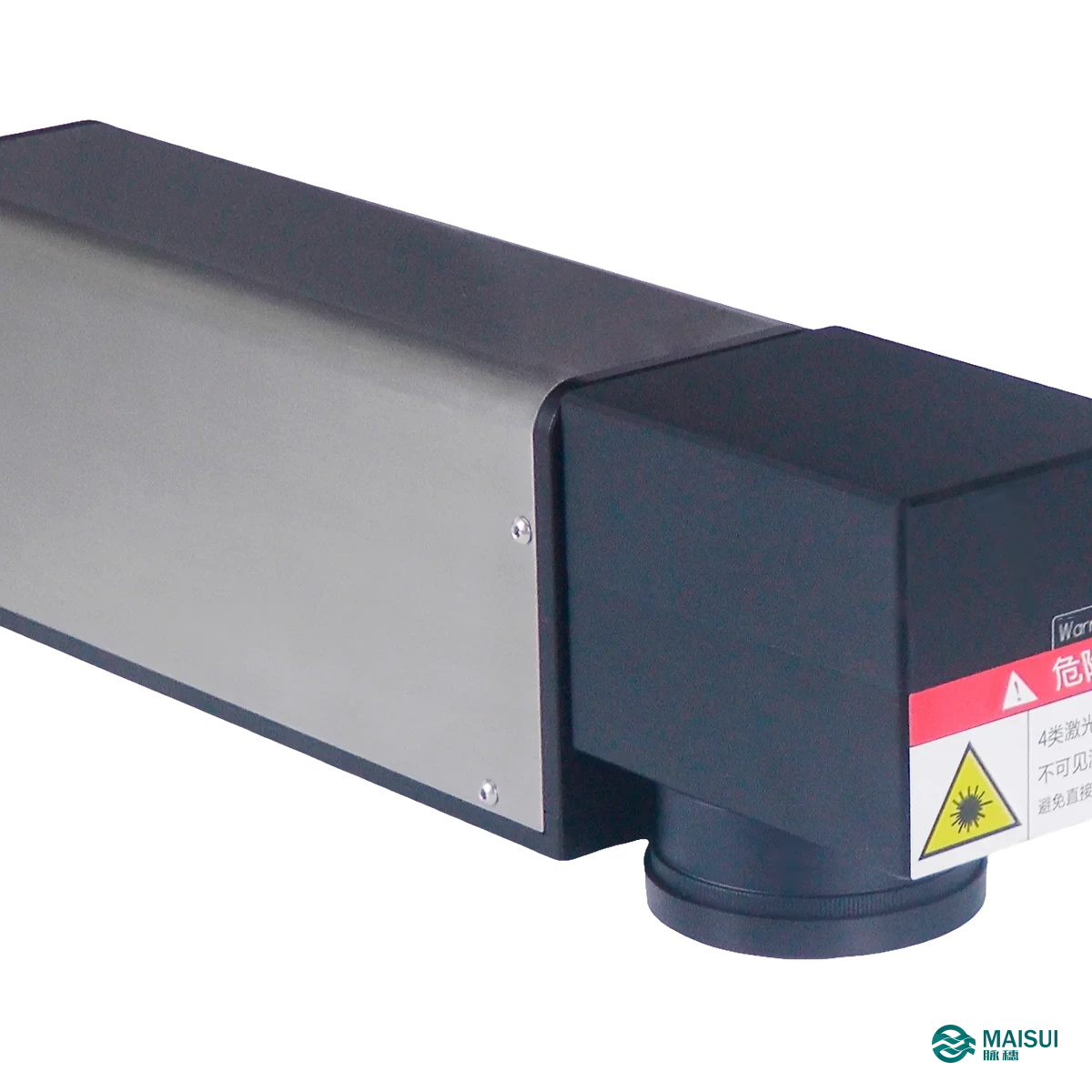
The Dikai DLFe is an economical fiber laser printer with 20 W and 30 W sources at 1064 nm. It marks flexible packaging film, PP, metals and other common production materials at up to 8,000 mm/s with no consumable, and is air cooled, so it needs neither ink nor a chiller.
Key facts at a glance
- Category
- Fiber laser printer (coding and marking)
- Brand / series
- Dikai DLFe (DLF200e / DLF300e)
- Laser source
- Fiber laser, 1064 nm
- Output power
- DLF200e: 20 W / DLF300e: 30 W
- Marking speed
- Up to 8,000 mm/s
- Marking area
- 110 x 110 mm to 300 x 300 mm
- Interface
- USB, Ethernet, RS232
- Cooling
- Air cooling
DLF200e and DLF300e at a glance
| Item | DLF200e | DLF300e |
|---|---|---|
| Output power | 20 W | 30 W |
| Power consumption | 200 W | 300 W |
| Wavelength | 1064 nm | |
| Marking area / distance | 110 x 110 / 168 mm, 150 x 150 / 216 mm, 175 x 175 / 255 mm, 300 x 300 / 430 mm | |
What it is
A fiber laser printer marks by changing the material surface with an infrared beam at 1064 nm. On plastics it produces a light or dark mark depending on the pigment; on metals it removes or anneals a thin layer. It is a non-contact process with no ink, ribbon or label, and it is the usual choice where a CO2 laser would not couple well to the material – several PE and PP compounds and most metals.
How it works
- Mount the laser body on the line at the working distance for the chosen lens.
- Connect the touch screen controller and load the message, date rules and code content.
- Set flying or static marking mode to match the machine.
- Trigger one mark per product from the machine signal; 2 inputs and 3 outputs are available for line integration.
- Verify the first packs for contrast and code grade, then run continuously.
Key capabilities
- 20 W and 30 W sources. The DLF200e covers standard line speeds; the DLF300e adds power for faster lines or denser marks.
- Works on film, PP and metal. The infrared wavelength couples to materials where a CO2 laser gives a weak or burnt mark.
- Air cooled, low maintenance. Only the specified air clearance and lens cleaning are needed.
- Up to 8,000 mm/s scan speed. Enough for normal packaging and metal-part marking rates.
- 4 marking areas. 110, 150, 175 and 300 mm square fields at their matching working distances.
- No consumables. No ink, ribbon or solvent, so the cost per mark is electricity and scheduled maintenance.
- Standard interfaces. USB, Ethernet and RS232 with 2-way input and 3-way output.
- Long service interval. Fan cooling and a sealed laser path keep routine maintenance low.
Where it fits
Typical uses are coding on PE and PP packaging where the mark must be permanent, and marking metal or plastic components with a serial or 2D code. Where the film is a thin mono structure and a light, high-contrast mark is needed, a UV laser is often the better family; where the material is metal, fibre is the normal choice.
Technical specifications
| Applicable materials | Soft packaging film, PP, metal and similar |
|---|---|
| Marking method | X and Y axis simultaneous scanning |
| Marking mode | Flying mark 0-150 m/min; static mark, multiple products at the same time |
| Laser type | Fiber laser |
| Wavelength | 1064 nm |
| Output power | DLF200e: 20 W; DLF300e: 30 W |
| Guiding laser | Red light guiding |
| Marking area / distance | 110 x 110 / 168 mm, 150 x 150 / 216 mm, 175 x 175 / 255 mm, 300 x 300 / 430 mm |
| Marking speed | Up to 8,000 mm/s |
| Fonts | 26 built-in fonts, user-defined fonts supported |
| Barcodes | Code 39, Code 25, EAN-13, Code 128 and others |
| 2D codes | PDF417, QR code, DataMatrix |
| Images | BMP, DXF, PLT, HPGL, JPEG |
| Variable data | Serial number, text, date, time, counter, shift code |
| Inputs / outputs | 2-way input / 3-way output, customisable |
| Interface | USB, Ethernet, RS232 |
| Installation direction | Any direction |
| Cooling | Air cooling, at least 10 cm clearance at the air inlet |
| Power supply | 100-240 V, 10 A, 47/63 Hz |
| Power consumption | DLF200e: 200 W; DLF300e: 300 W |
| Working temperature | -5 to 45 degrees C |
| Working humidity | 10 to 95 percent, no condensation |
| IP rating | IP54 |
| Dimensions | Laser body 355 x 75 x 97 mm; touch screen 267 x 180 x 40 mm; fume extractor 383 x 130 x 437 mm |
Selection checklist
- Which material is marked: PE/PP film, rigid plastic or metal?
- What mark size is needed and therefore which lens?
- What line speed must be covered by flying mode?
- Is 20 W enough or is the 30 W unit required for the line rate?
- Is fume extraction needed for the material being marked?
- Which signal triggers the mark on the machine?
- Does the code need GS1 or customer-specific content?
- Is the air inlet kept clear in the mounting position?
Maintenance and service
A fiber unit has no consumable; routine work is lens cleaning and keeping the air path clear. Where the material releases fume when marked, a fume extractor is specified with the unit and its filter is the service item. MAISUI supplies, installs and services the unit, including matching fume extraction where required.
Frequently asked questions
What is the difference between DLF200e and DLF300e?
Output power: 20 W for the DLF200e and 30 W for the DLF300e, with power consumption of 200 W and 300 W. Both share the same wavelength, marking areas and interfaces.
Can it mark PE and PP?
Yes – those are the materials the series is aimed at, together with metals. Mark contrast depends on the pigment and the additive in the compound, so a sample test is the reliable way to confirm.
Does it need a chiller?
No. It is air cooled and needs at least 10 cm clearance at the air inlet.
Does it need fume extraction?
For materials that release fume when marked, a fume extractor is supplied with the unit. The brochure lists a 383 x 130 x 437 mm extractor for this series.
How fast can it mark?
Up to 8,000 mm/s scan speed, and flying mode up to 150 m/min. The practical rate depends on the mark content and material.
Can it print 2D codes?
Yes: PDF417, QR code and DataMatrix, plus Code 39, Code 25, EAN-13 and Code 128 barcodes.
Can I use it instead of an inkjet?
On materials that take a laser mark, yes. There is no ink or solvent, and the mark is permanent. On materials that do not respond to 1064 nm, an inkjet or UV laser remains the better option.
What do I need to prepare?
Mounting point and lens distance, power supply, air clearance and the machine trigger signal. Add fume extraction if the material requires it.