
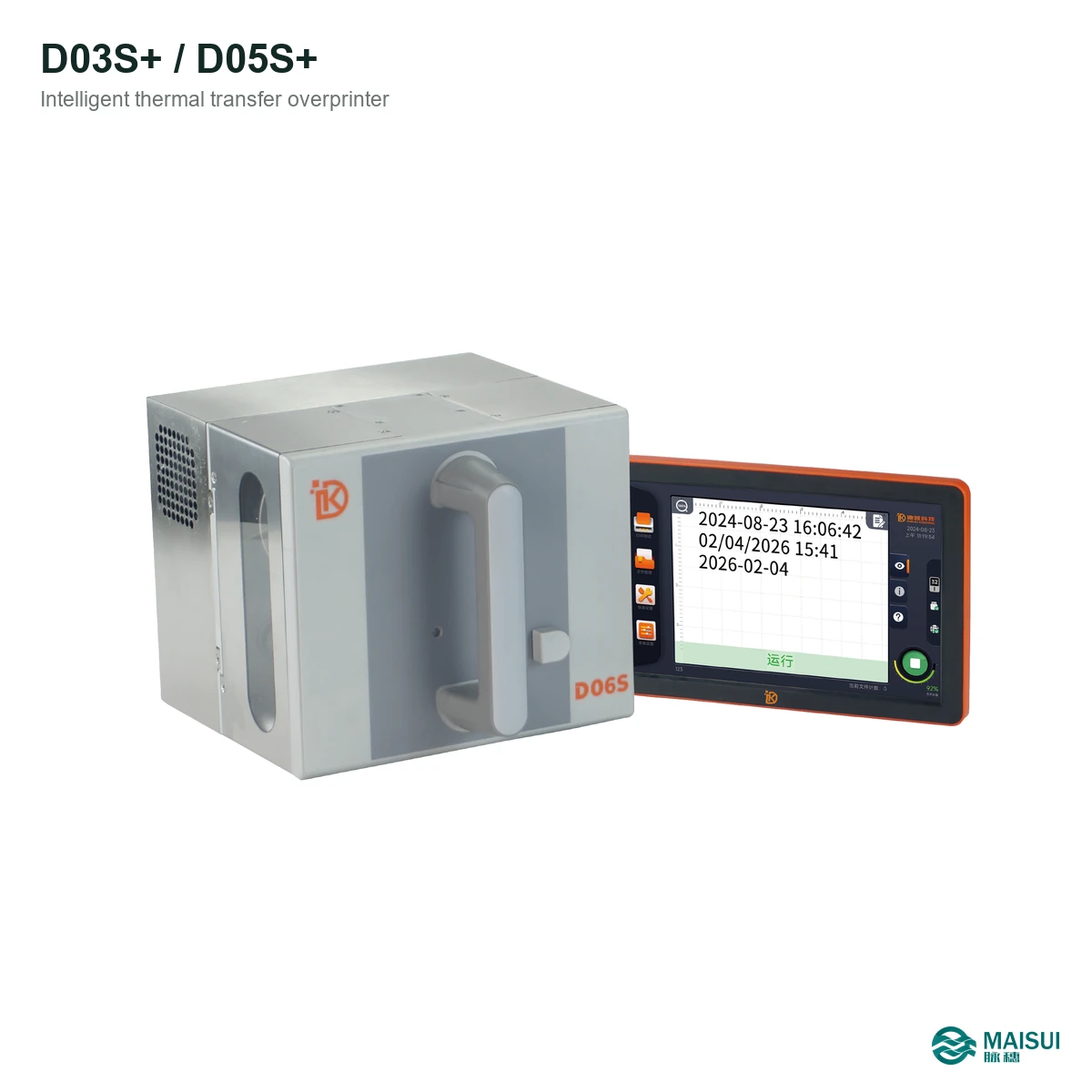
The Dikai D03S+ and D05S+ are 300 dpi intelligent thermal transfer overprinters with 32 mm and 53 mm printheads, 7-inch touchscreen and a 0.5 mm minimum gap between printed messages.
Key facts at a glance
- Category
- Thermal transfer overprinter (TTO)
- Brand / model
- Dikai D03S+ / D05S+
- Models
- D03S+ / D05S+
- Print head
- 32 mm or 53 mm, 300 dpi
- Resolution
- 300 dpi
- Min. gap between prints
- 0.5 mm
- Max. ribbon length
- 600 m
- Ribbon width
- 22-55 mm depending on head
What it is
The Dikai D03S+ and D05S+ are 300 dpi intelligent thermal transfer overprinters with 32 mm and 53 mm printheads, 7-inch touchscreen and a 0.5 mm minimum gap between printed messages. It prints variable data onto flexible film, labels and paper without pre-printed panels, so dates, batch codes and 2D codes can change every pack.
How it works
- Mount the printhead on the packaging machine at the coding position.
- Load the ribbon cassette or spool and set the print gap.
- Edit the message, date rules and code content on the touchscreen or from the line system.
- Print test packs and check code position and grade.
- Run production, monitor ribbon use and clean the printhead on schedule.
Key capabilities
- 300 dpi clarity. Sharp text, barcodes and QR codes for packaging.
- 0.5 mm message gap. Less ribbon used per print and better placement accuracy.
- 7-inch touchscreen. All settings and file editing on the machine, no PC required.
- 600 m ribbon. Long runs with fewer ribbon changes.
- 32 / 53 mm heads. Covers different code widths and ribbon widths.
- Network interface. Connects to line systems for variable data.
- Anti-counterfeit coding. Serial numbers, barcodes and 2D codes for traceability.
- Built-in templates. Faster file creation on the touchscreen.
Where it fits
Used on pouch, sachet, flow-wrap, paper and label lines where the code changes per pack.
Technical specifications
| Models | D03S+ / D05S+ |
|---|---|
| Print head | 32 mm or 53 mm, 300 dpi |
| Resolution | 300 dpi |
| Min. gap between prints | 0.5 mm |
| Max. ribbon length | 600 m |
| Ribbon width | 22-55 mm depending on head |
| Display | 7-inch touchscreen, 1280 x 800 |
| Interface | Network interface for line integration |
| Print content | Dates, times, batch codes, text, barcodes and 2D codes |
Selection checklist
- Which film and code size are used?
- What line speed must be matched?
- Intermittent or continuous motion?
- Which ribbon grade suits the material?
- Does the line have compressed air, or is an airless unit required?
- Who installs and services the coder?
Maintenance and service
Keep the printhead and ribbon path clean, use the specified ribbon and replace worn printheads before code quality drops. MAISUI supplies matched TTO ribbons, spare parts and installation support.
Frequently asked questions
What is the Dikai D03S+ / D05S+?
It is a 300 dpi TTO family with 32/53 mm printheads, 7-inch touchscreen and 600 m ribbon.
What resolution does it print?
300 dpi where a 300 dpi head is fitted; confirm the head option when ordering.
Which materials can it code?
Flexible films, laminates, labels and paper used on packaging lines.
Does it need compressed air?
Some Dikai models need compressed air; the D118i and D158i use electric structures without air.
Which ribbon does it use?
A TTO ribbon matched to the printhead width and material; MAISUI supplies matched ribbons.
Can it replace a hot-stamp coder?
Dikai D-series printers are designed as drop-in replacements on many packaging machines; check mounting and line interface.
How are codes edited?
On the touchscreen, or from the line system through the network interface.
Can I get a datasheet and quotation?
Send film, code and line details through the contact form; MAISUI replies with a quotation and specification sheet.