
· · 2 min read · Logistics & Warehousing
There are six practical scanner types in the MAISUI range: wired handheld, wireless handheld, desktop presentation, fixed-mount industrial, embedded modules and DPM scanners. The right one depends on where the code is, who moves, and what the code is printed on.
Start with the code, not the scanner
Printed paper labels read with any 2D imager. Laser-marked, dot-peen or etched codes on metal need a DPM scanner. Codes shown on phones or terminals need a 2D imager with good screen reading. Codes on curved or small packaging may need a closer working distance or higher resolution. Confirm the code type and surface first, then choose the form factor.
The six scanner types
| Type | Best for | Typical models |
|---|---|---|
| Wired handheld | Fixed desks, counters, packing benches, goods-in | MS-9518SR, MS-9520SR, MS-9640SR |
| Wireless handheld | Picking routes, stocktaking, receiving yards, moving operators | MS-9519SR, MS-9528SR, MS-1900SR |
| Desktop presentation | Checkout counters, service desks, pharmacy, banking | MS-90, MS-85, MS-700+ |
| Fixed-mount industrial | Conveyors, sorting lines, machine frames, automated stations | MS-G9, MS-G5SR, MS-G6SR |
| Embedded scan module | Kiosks, self-service terminals, OEM machines | MS-100M, MS-60+ |
| Industrial DPM | Machined, cast or stamped parts; automotive, aerospace, tooling | MS-9566AI |
Five questions that decide the model
- What is the code printed on? Paper label, screen, plastic, metal, or directly marked on a part.
- Does the operator move? Fixed station means a wired or desktop model; moving means wireless.
- How far is the code? Check the depth-of-field figures on each product page against your working distance.
- What environment? Dust and water drive the IP rating; drops drive the housing choice.
- What does the host expect? USB HID keyboard input, virtual COM port, RS232 or Ethernet.
Common mistakes
- Buying a wireless scanner for a fixed counter, then managing charging and pairing every day.
- Using a paper-label scanner on laser-marked metal parts and blaming the software.
- Choosing the cheapest 1D scanner when the labels already carry QR codes.
- Ignoring mounting and cable routing, then finding the scan angle is wrong on site.
Next step
Browse the barcode scanner category, or send your code sample, working distance and host system through the contact form and MAISUI will recommend a model and matched accessories.
Equipment mentioned in this guide
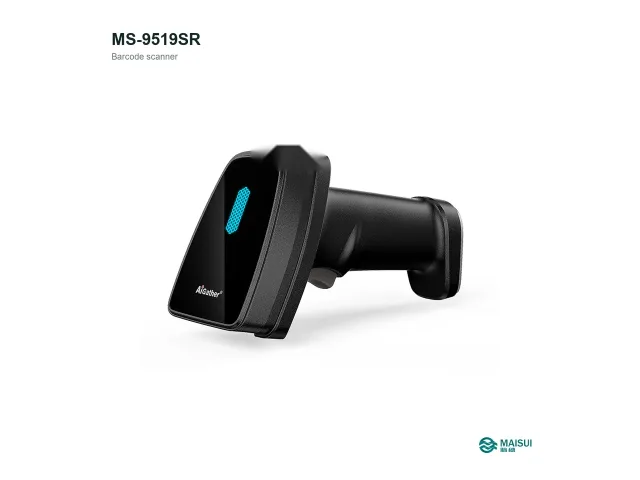
MAISUI MS-9519SR Wireless 2D Barcode Scanner
MS-9519SR 2.4 GHz wireless 2D barcode scanner: 1280 x 800 pixel sensor, 3 mil, USB and…
View details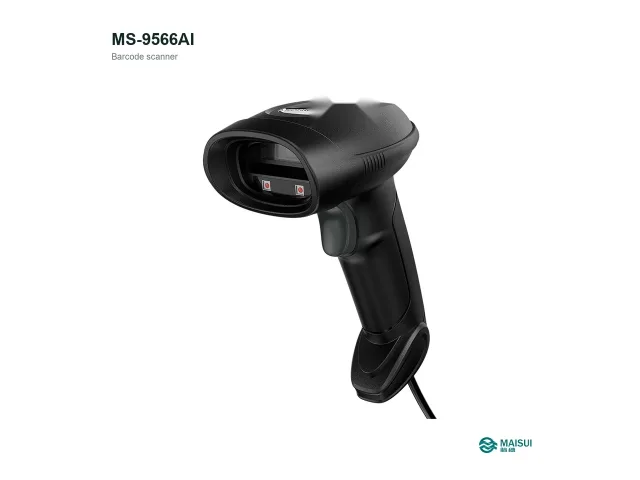
MAISUI MS-9566AI Industrial DPM barcode scanner
MS-9566AI industrial dpm barcode scanner: 1280 x 800 pixel sensor, 3 mil, USB HID; virtual COM…
View details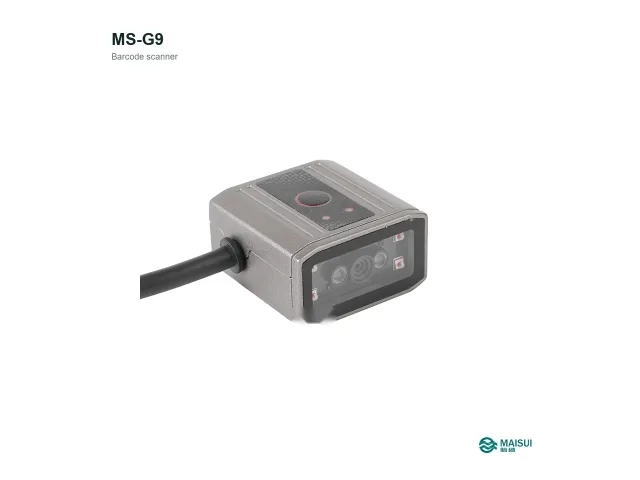
MAISUI MS-G9 Fixed-mount industrial 2D scanner
MS-G9 fixed-mount industrial 2d scanner: 1280 x 800 pixel sensor, 3 mil, USB HID; virtual COM…
View details